

THE MUSICAL MUSE
Blog dedicated to music education, practice tips, health
&
wellness, and geeking out.

Adventures in Indoor Gardening
Last summer, I used some gift cards I received from students and family to purchase two Aerogarden units. I figured that was my best chance of success for a herb garden, seeing as my previous attempts failed miserably.
Last summer, I used some gift cards I received from students and family to purchase two Aerogarden units. I figured that was my best chance of success for a herb garden, seeing as my previous attempts failed miserably.
The nice thing about the Aerogarden is that it’s a complete unit. Grow lights, water reservoir, and a screen that tells you when to feed and water your plants. I ordered the herb garden starter kits. I have to say, hydroponic gardens are the way to go!
After enjoying fresh herbs all summer, I splurged and added another unit in the fall, dedicated to lettuce:
Mere weeks after, I purchased two Lyko Hydroponic garden units with 12 grow pod slots each:
Fast forward to today. I haven’t had to buy lettuce since September. The fresh herbs have been put to great use in salads, salad dressing and homemade Shake n Bake.
Last month, I ordered some grow bags. I plan to level up my gardening by growing some root vegetables. I am definitely open to receiving tips and suggestions.
You can follow my indoor gardening adventures on The Musical Muse Channel on YouTube. I have something a little different for today’s update:

Let’s Play Practice Bingo!
Last month, I was mulling over different areas that I want to focus on in lessons for the remainder of the school year. I concluded: practice consistency, practice efficienty, technical skills, ear, rhythm and sight reading, and finally - theory and keyboard harmony. Find out how I’m challenging my students to tackle these aspects of music learning.
Last month, I was mulling over different areas that I want to focus on in lessons for the remainder of the school year. I concluded: practice consistency, practice efficiency, technical skills, ear, rhythm and sight reading, and finally - theory and keyboard harmony.
The thing is, how to make what students normally find “boring” fun? The answer, turn it into a game! Bingo, to be precise.

Febrary Challenge: Practice Bingo
Feburary’s praactice challenge focused on practice consistency. Some of the challenges were pretty easy (“Logged into My Music Staff student portal”), while others were harder (:"Practiced for 60 minutes without distractions””.
Homemade cake pops were on the line. They were a huge hit. So much so that they are now items in Maestro’s Market that students can “order”.

Flexing with Cake pops.
This month, they are working on practice efficiency. Some of the practice drills they are working through are part of Maestro’s Music Tricks, the game-ified practice aid I developed in conjunction with my students a few years ago.
Check out the Practice Bingo cards, along with Maestro’s Music Tricks in the Studio’s Ko-Fi Shop. Check the store at the beginning of each month from now till June for a new Practice Bingo card.

Adventures with Cameras
(originally published in the Winter 2022 APTA News & Views)
I got schooled by one of my students earlier this year: “What cameras do you use for Practice Time and Trip Up the Teacher?” she asked.
“The Logitech camera overhead and my laptop camera, recording through StreamYard” I replied.
“Bruh, no. Laptop cameras suck. The video is so grainy. I can’t look at it. And don’t use StreamYard unless you’re livestreaming. Go old school. Do. It. The. Old. Fashioned. Way.”
(originally published in the Winter 2022 APTA News & Views)
I got schooled by one of my students earlier this year: “What cameras do you use for Practice Time and Trip Up the Teacher?” she asked.
“The Logitech camera overhead and my laptop camera, recording through StreamYard” I replied.
“Bruh, no. Laptop cameras suck. The video is so grainy. I can’t look at it. And don’t use StreamYard unless you’re livestreaming. Go old school. Do. It. The. Old. Fashioned. Way.”
Using Multiple Cameras for Teaching
Zoom and other web conferencing platforms make it extremely easy to connect multiple cameras and devices to the same meeting. If you have not yet experimented with using multiple cameras, plug them into your computer or connect via Bluetooth.
Next, head to the Video settings to find the list of cameras. From there, you can switch back and forth. If you use two devices when teaching online, you can display two camera views simultaneously.

Where to switch cameras in Zoom.
I currently use three cameras connected to my desktop computer when teaching online. My Logitech C-920 HD Pro Webcam hangs overhead the keys. It has a hole in the back to screw onto a camera tripod. I use a mic stand to camera adapter, which you can get from Amazon or Long & McQuade. This enables me to connect the webcam to a microphone stand with a boom arm.
I use its older sibling, the Logitech C-910 HD Pro Webcam as my front/side camera. Finally, I use its older cousin, the Logitech C-270 HD Webcam as my pedal cam. I toggle between cameras as needed to give my online students the best view.

My current online teaching setup.
The current model is the Logitech C-930. There are other brand names however, Logitech consistently dominates the “best webcam” lists with both old and new models. The C-900 Pro Webcam series remains a favourite among my fellow StreamYard users. Reasonably priced as well (all under $200).
Adventures in Video Recording
I recently completed my recording project of all the RCM technical requirements for the Studio’s YouTube channel. The videos chronicle my journey in content creation. Early videos were recorded with my phone. Then, I used my C-910 with the Logitech camera software. It worked all right for where I was at. Let’s just say the latter doesn’t handle fast passages or scales very well, especially when you plug in an external microphone.
Later videos were recorded via StreamYard, using either my C-910 or C-920 webcams. I sacrificed quality for convenience in StreamYard, as my current subscription only allows me to record in 720p. This did not impress my student (“too grainy”).
The Level 10 requirements video showcases the next level of my evolution: the Logitech C-920 Webcam and my new Lewitt LCT-140 AIR stereo pair “pencil” microphones plugged into my Mackie 6 channel mixer board. I recorded the videos using OBS Studio (Open Broadcaster Software), a popular program among content creators worldwide.
Back to my student. She declared that my Canon Rebel SLR camera should be my primary front/side camera for recording. Then, it was a tie between my HD Logitech webcams and my phone. Going back to “the old fashioned way” means to record with a good camera to the computer and then upload.
The big takeaway for webcams and video recording is this: don’t cheap out. Get the best camera you can afford. Get an HD 1080p camera or better. Many smartphones and tablets already fit that bill, just make sure to adjust your recording settings to HD. Unfortunately, most laptop cameras, as my student pointed out, “suck.”
My C-270 and C-910 are dinosaurs now, but they’re still going strong. On the other hand, my old Microsoft LifeCam, which I purchased around the same time as the C-270 has been collecting dust in a “To Discard/Recycle” pile.
Let’s Talk About Lighting
While reviewing the raw files for the Level 10 requirements, I noticed that the keys were less distinct, almost distorted at the bottom register. As you can see in this screenshot, the keys are also indistinct in the high register.

Distinctly indistinct.
I did some experimenting during lessons and discovered that the culprit is my ceiling light. Afterwards, I played around with my ring light and my softbox light. The winning setup for this recording configuration was the softbox light.
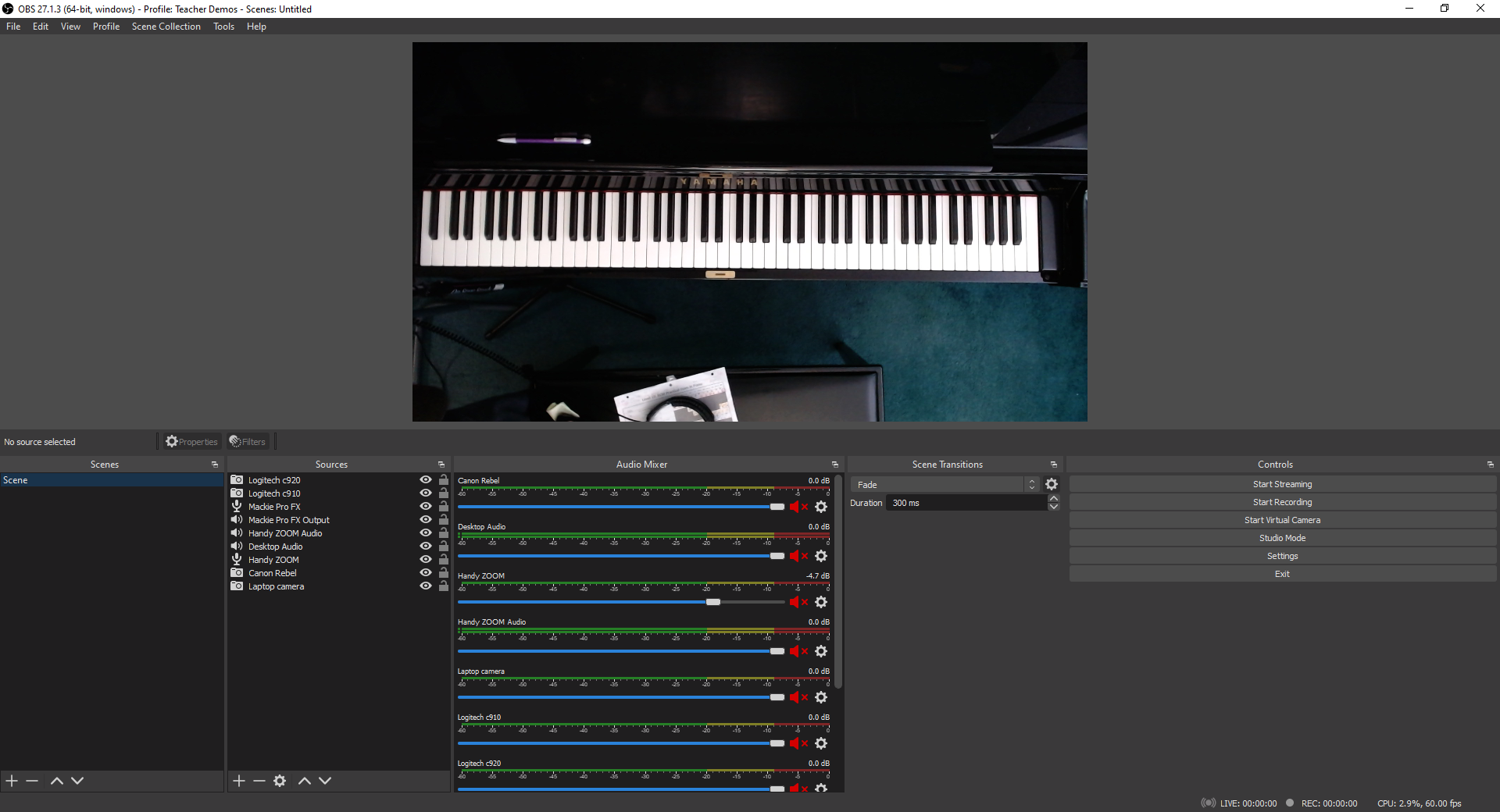
All clear now
For livestreaming, I have learned that both the softbox light and ring light are my allies. Here’s a screenshot from a supplemental video I recorded for some of my students. It’s hard to believe that I recorded this at 11 PM. The lighting is pretty bright without making me look washed out.

Recording Day
The first takeaway is that if you’re doing any video recording, you need to have good lighting. It’s much easier to record a video performance or tutorial with good lighting than trying to adjust the lighting in an editing program. Believe me, I first tried the editing route with the Level 10 files but quickly realized that it would be quicker to just re-record.
The second point is this: don’t cheap out on the lighting either. Get the best lighting you can afford. I bought a $39 ring light from Amazon early on in the pandemic. It was so flimsy that it broke after one fall onto carpet. I’m extremely happy with my $60 Ergopixel ring light. The construction is solid, from the tripod to the phone clamp. I can also switch from warm to cool lighting and adjust the intensity.
I recently received a softbox light as a gift. I think I’ll buy a softbox lighting set so I can control the light from different angles.
It’s been fun playing around with my new setup. I still have to do some troubleshooting with my Canon Rebel and figure out how I want to use my new green screen. I’m sure my students will have a few ideas on the latter.
Adventures with Migraine Glasses
This summer has been unusually hot and bright, which hasn’t been good for my light sensitive Migraine Brain. Although I have managed to keep the migraine count down low, it has come at the cost of living like a mole for most of the summer.
I broke down in July and bought two pairs of migraine glasses to try. They block out most of the blue light frequencies that trigger migraines or make them worse. Unfortunately, they both took their sweet time getting here…
This summer has been unusually hot and bright, which hasn’t been good for my light sensitive Migraine Brain. Although I have managed to keep the migraine count down low, it has come at the cost of living like a mole for most of the summer.
I broke down in July and bought two pairs of migraine glasses to try. They block out most of the blue light frequencies that trigger migraines or make them worse. Unfortunately, they both took their sweet time getting here and it was well beyond my martial arts grading prep and grading to be of use during all of our extra practices. I would have been willing to pay extra to get them sooner. Alas, USPS was my only option (and I like them less than Canada Post).
That’s neither here nor there. They have arrived and I am testing them out. So far, so good. Do check out my vlogs below and check my channel for updates:
Axon Optics Cover RX Migraine Glasses
I am so relieved that the Axons arrived first. Am I ever glad I sprung for the transition lenses, so I don’t have to worry about switching back and forth from inside to outside. I rarely go out without them.
The Cover RX glasses set me back $220 USD.
Somnilight Light Therapy Migraine Clip-On Lenses
As much as I’d like put the Axons aside for a week to test these exclusively, Migraine Brain is reluctant to do so. The Axons have the peripheral lenses on the arms, which I find an absolute must outside.
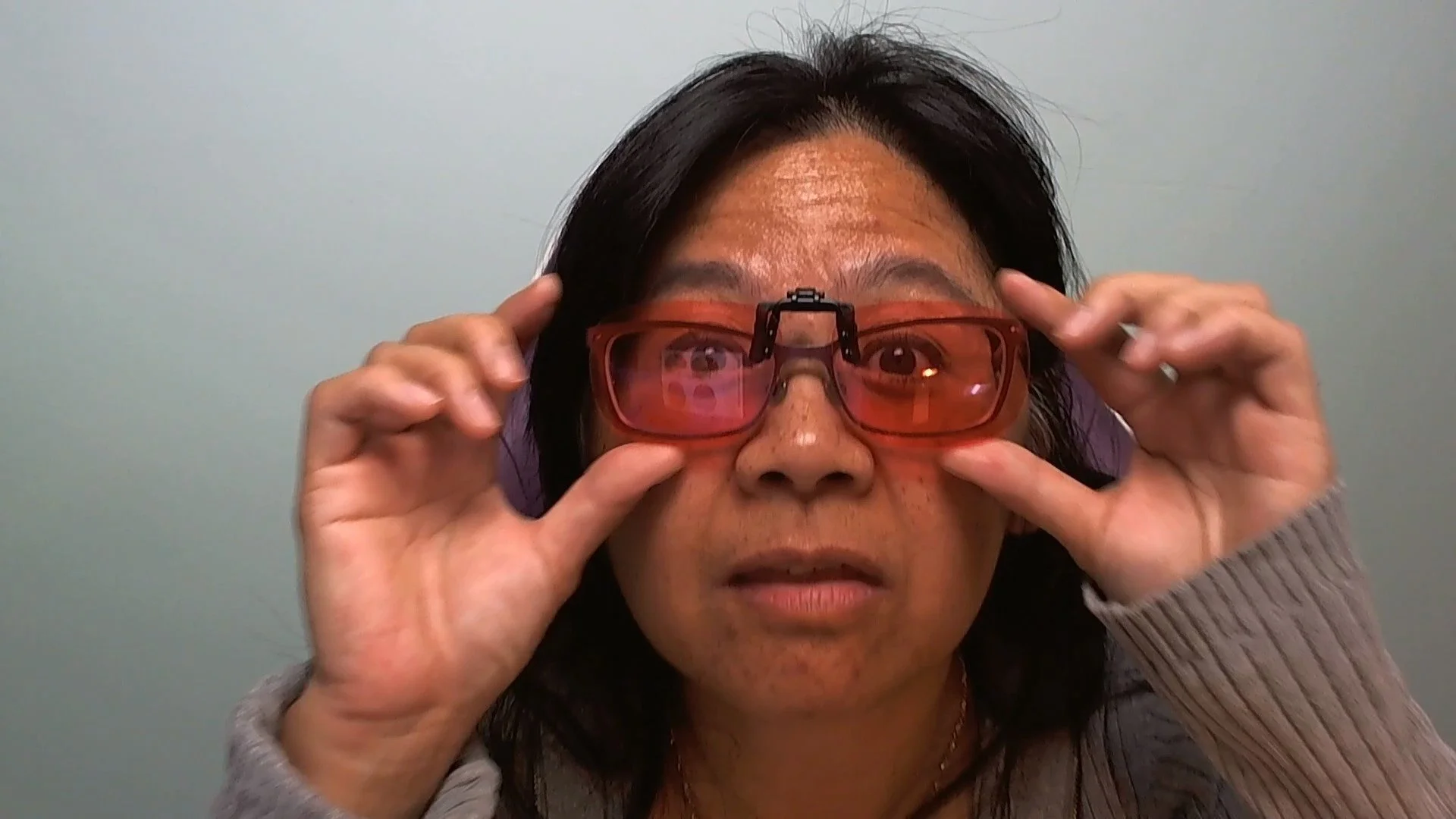
So far, I’ve been using the Somnilight clip-ons when I feel eye strain at the computer. The case and lenses are so slim that I have taken to carrying these in a pocket, ready to slip on whenever needed.
The Somnilight lenses are $79.99 USD regularly but they are currently on sale for $39.99 USD.
Do check out my YouTube channel regularly as I’ll be posting weekly updates for month, and then switching to monthly updates.

My 2022 Migraine Update
In my latest vlog, I show my migraine trackers for 2021 up to May 2022, sharing what changes I have made to help me better manage what I call, “Migraine Brain.” From vitamins to migraine hats, find out how they have changed my life since Winter 2021…
Last year, I shared some of my early steps towards understanding my migraines and working towards mitigating the triggers and symptoms in my June 9, 2021 post, Adventures in Migraine Prophylaxis. I have learned quite a bit in this past year.
In my latest vlog, I show my migraine trackers for 2021 up to May 2022, sharing what changes I have made to help me better manage what I call, “Migraine Brain.” From vitamins to migraine hats, find out how they have changed my life since Winter 2021:
As every migraine is different, I’m still learning and tweaking my migraine management routine.
Fellow migraineurs, what migraine treatments has or hasn’t worked for you? Share them in the Comments below.
Social Media Links
archives
- #YYCArts 32
- #YYCEvents 39
- Collaborative Music 25
- Community 11
- Composing & Arranging 6
- Entertainment 139
- Entrepreneurship 53
- Freebies 3
- Gardening 1
- Geeking Out 65
- Health & Wellness 120
- Improvisation 25
- Interviews 28
- Learning Music 188
- Martial Arts 13
- Memorization 7
- Music 230
- Music Careers 9
- Music Education 196
- Music Examinations 7
- Music Exploration 55
- Music Gigs 14
- Music Lessons 6
- Music Performance 32
- Music Theory 13
- Musical Instruments 12
- Musician Health 19
- Pets 57
- Piano Technique 12
- Practicing Music 120
- Productivity 20
- Professional Development 11
- Recommendations & Reviews 93
- Recreation 71
- Social Media 6
- Spirituality 10
- Studio Management 33
- Studio Technology 50
- Teaching Music 146
FOLLOW THE STUDIO on Instagram








Affiliate Links
As a Sheetmusicplus and CD Japan affiliate, I earn from qualifying purchases. The earnings help fund the Studio’s blog and YouTube channels. Your support is greatly appreciated.


FOLLOW Budo no Tabi on Instagram









