

THE MUSICAL MUSE
Blog dedicated to music education, practice tips, health
&
wellness, and geeking out.
The Online Scheduling Systems Conclusion
After more than a week and 10-1/2 systems later, a choice has been made. My first impressions and review of Appointy.
After playing around with 10-and-a-half online scheduling systems, I have found one to use in my studio. The winner is....Appointy!
Here's how it fared out against my wish list:
Aesthetically pleasing and intuitive design: It's not the prettiest that I've seen (Book Fresh wins that hands down), but it does look clean and is intuitively designed.
Easy to use – both on the client end and the administrative end: Extremely easy. I booked test appointments as an administrator, staff and client.
The ability to prevent short notice rescheduling: YES!This is customizable!
Various options for reminder notifications that can be customized by each user: To a degree. As an administrator, I have more control over this feature. It looks like SMS reminders cost credits.
The ability to synchronize appointments with several calendar platforms (e.g., iCal, Google Calendar, Outlook, etc.): YES! Just make sure that you synchronize your calendars BEFORE inputting appointments in Appointy or else they won't get synchronized. I learned that the hard way.
The ability to collect and process payments: YES! You need a Paypal account to link it to.
The ability to customize the appearance for branding purposes: You can add your own background photo and your logo.
Various privacy options so that the general public cannot see who I am teaching/consulting with: The default is that you are shown that unavailable times are struck out.
Easy to reschedule appointments (client or me): Extremely easy. Now would you like an email sent to the other party to notify them of the change?
The ability to handle recurring appointments for a set period of time: No problem.
The ability to allow group bookings with a cap: YES!
The ability to set different availability for each day: YES!
Solid tech support resources: I'll say! Amy at Live Chat was very helpful. Email requests take less than 24 hours for a response. You even get a follow up email asking if you are satisfied or still need help.
The ability to specify a time zone for appointments: YES!
Viewable and usable on a desktop and mobile devices: YES!
Advance scheduling: YES!
As a bonus: there's a Wordpress plugin! I also like how clients can log in using their Facebook or Google accounts. Of course, they can just log into their account using their Appointy account as well.
Cost: You get quite a bit with the free version: community support, mobile version, customizable availability, unlimited staff, service & bookings, customer relationship management tools, website integration, client verification, SMS alerts, multiple service booking at the same time, service dependency, reschedule appointments. I leveled up to the Pro Plan at $19.99 USD/month to get recurring bookings and the ability to accept payments.
We're just testing the online booking system right now with lesson re-scheduling and special class scheduling. I need some time to get my brain around the rest.
Other articles in this series: Exploring Online Scheduling Systems and Calendars for my Music Studio | Beginning My Hunt for the Perfect Online Scheduling System | The Quest for the Perfect Online Scheduling System – Part 2
The Quest for the Perfect Online Scheduling System - Part 2
The search for the perfect online reservation scheduler (or in my case, class and lesson re-scheduler) continues...A look at ScheduleThing, Scheduly, Clickbook and Schedule Once.

As some of you have read, I'm exploring online scheduling systems in the hopes of using it in my music studio (read Part One here). It is my hope that it will make rescheduling more convenient for my students' families without it being a headache for me to administer. Also, I want to be able to accommodate ad hoc coaching and make it easier for those students to drop-in.
My Online Scheduling System Wish List
Before presenting the second fleet of booking apps, here once again is my Wish List:
Aesthetically pleasing and intuitive design
Easy to use – both on the client end and the administrative end
The ability to prevent short notice rescheduling
Various options for reminder notifications that can be customized by each user
The ability to synchronize appointments with several calendar platforms (e.g., iCal, Google Calendar, Outlook, etc.)
The ability to collect and process payments (might not use this initially but I’d like to have the functionality in the future)
The ability to customize the appearance for branding purposes
Various privacy options so that the general public cannot see who I am teaching/consulting with
Easy to reschedule appointments (client or me)
The ability to handle recurring appointments for a set period of time
The ability to allow group bookings with a cap
The ability to set different availability for each day
Solid tech support resources
The ability to specify a time zone for appointments (not needed initially but will once I teach online)
Viewable and usable on a desktop and mobile devices
Advance scheduling
Let's get started, shall we?
ScheduleThing has a module just for music teachers. I really like how you can schedule multiple schools, rooms and various equipment. It also could accommodate multiple teachers' schedules. Very slick design. Lots of customization options.
Unfortunately for me, this online reservation system cannot handle payments. Nor does ScheduleThing sync with Google Calendar. So ends my exploration.
Cost: As cheap as the Free version and as pricey as $129/month USD. The free version is good for two resources and only one type of reservation (e.g private music lessons). Go up to the Small Business version for $19.95 USD/month and you get the first month free. You can use up to 10 resources and an unlimited number of reservation types.
Scheduly truly has a lot of bang for your buck For $9.99 USD per month, you get an unlimited number of appointments within an infinite time frame. It can synchronize with several calendar platforms. There are reporting functions, safety features, yadda yadda.
Sadly, it doesn't allow us to put start and end dates, for instance, for a music theory course. As for aesthetics? Well, I've seen nicer ones out there. Again, my search comes to a screeching halt. Next!
I didn't get very far once I learned that this online reservation system could not handle classes. It looked nice and easy to use, however.
The free version gives you one location, unlimited services and service categories, 50 bookings a month, mobile locations and services, booking widget and a customer database - standard fare for the freebie systems. You have to step up to the ClickBiz5 at $19.95 USD/month to get the online payment functionality as well the ability to export your customer history.
I really wanted Schedule Once to work for me. This online appointment schedule has a nice design, easy to use interface, decent tech support and the ability to handle multiple locations and resources. I liked how all bookings could be automatic or with approval.
Schedule Once cannot handle payamets, although the tech support team mention a good workaround. You can get a Paypal button widget which will post a button on your scheduling page that redirects a client to you pay you. The appointment doesn't get confirmed until you receive payment for the service.
Sadly, it does not handle class scheduling.
Plans are very affordable. After your 14-day free trial, you can sign up for the Basic (Free) version, which gives you group scheduling and appointment scheduling with approval. For $5 USD/month, you get group scheduling, booking with approval, productivity features and email reminders.
The Search is NOT Over
I just realized that although I visited SimplifyThis' website and read the features and testimonials, I did not take it for a test drive. It looked promising. However, my booking app search partner mentioned that the system seemed too simplistic. One thing that held me off from exploring it right away was the fact that I couldn't get my brain around paying $18 USD/month to use a system in which a primarily selling point (invoicing and handling bookkeeping) is redundant. Now, if SimplifyThis could talk to my QuickBooks...
There are two other scheduling programs I was thinking of looking at (GenBook and ScheduleVIEW). However, what is fast becoming clear is that I may need to rework my criteria for an online scheduling system. At the very least, I may need to rethink how I want to use the system. At any rate, I plan to take a break from these scheduling programs and instead, explore some of the WordPress scheduling plugins before making a final decision.
Exploring Online Scheduling and Calendar Programs for the Music Studio
Looking for an easier way to handle missed lessons. Here are some of my findings of online scheduling options.
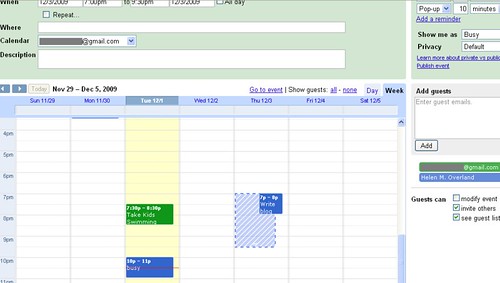
One popular discussion thread in the music teacher groups is the matter of missed lessons and how to handle make-up lessons. Like secondary and post-secondary institutions, tuition is non-refundable or discountable.
Some teachers don't offer make-up lessons for student absences. Period. The client makes the choice what is more important to them that day: Activity X or their music lesson.
Many offer make-up lessons under certain conditions (sufficient notice given, illness, emergency, etc.). Others use a Lesson Swap system. Trade it or lose it. I currently use a variant of the two.
My colleague and friend David Story once mentioned a piano teacher in Texas who only teaches doctors. My first question was "How did he work with their schedules?" Using online scheduling software, the teacher would post his availability for the month on his site. His students, once they received their work schedule for the week, would schedule their lesson online.
It's a neat concept, that has caught the attention of a few teachers in my discussion groups.I hope to do more coaching and eventually offer online lessons, so this function is highly attractive.
With the right program, it can take care of all the little administrative details for you. Or at least, that's what I'm hoping for. It should make it easier for students and their parents to reschedule, without it being a pain in the posterior for the teacher.
Ideally, it will also have a control feature that prevents people from trying to schedule at the last minute. It doesn't work for your dentist or massage therapist. Ergo, it doesn't fly with us either. Although many of us work from home, we are, just like your hair dresser, doctor and masseuse, trying to run a business and keep things on the level.
These are a few free and/or reasonably priced programs that I've come across. Many thanks to my colleague Darrin Hogue and Nicole Lipnicki for sharing what they've also found:
Appointment Calendar (Wordpress plug-in)
Appointment Quest (Click here for the Music Studio Demo)
Booking Calendar & Appointment Scheduler (Wordpress plug-in)
ClickBook (Example: Amy Rabinowitz Music Studio)
Scheduly (Example: Lisa Messi Piano Studio)
Schedule Thing - Music Scheduling Software
Simplify This - Interview & Demo with Music Teacher Allison Buhlman
Snap Appointments (Example: Carroll Gardens Piano Lessons)
The Online Booking Calendar (Wordpress plug-in)
Finally, here's an article that reviews 12 Free Appointment Scheduling Software packages for freelancers.
Social Media Links
archives
- #YYCArts 32
- #YYCEvents 39
- Collaborative Music 25
- Community 11
- Composing & Arranging 6
- Entertainment 139
- Entrepreneurship 53
- Freebies 3
- Gardening 1
- Geeking Out 65
- Health & Wellness 120
- Improvisation 25
- Interviews 28
- Learning Music 188
- Martial Arts 13
- Memorization 7
- Music 230
- Music Careers 9
- Music Education 196
- Music Examinations 7
- Music Exploration 55
- Music Gigs 14
- Music Lessons 6
- Music Performance 32
- Music Theory 13
- Musical Instruments 12
- Musician Health 19
- Pets 57
- Piano Technique 12
- Practicing Music 120
- Productivity 20
- Professional Development 11
- Recommendations & Reviews 93
- Recreation 71
- Social Media 6
- Spirituality 10
- Studio Management 33
- Studio Technology 50
- Teaching Music 146
FOLLOW THE STUDIO on Instagram








Affiliate Links
As a Sheetmusicplus and CD Japan affiliate, I earn from qualifying purchases. The earnings help fund the Studio’s blog and YouTube channels. Your support is greatly appreciated.


FOLLOW Budo no Tabi on Instagram









