THE MUSICAL MUSE
Blog dedicated to music education, practice tips, health
&
wellness, and geeking out.

Getting the Hang of Hashtags
One of these days, I should update my document that contains most commonly used hashtags. Then, I can quickly copy and paste them into my weekly posts for my studio’s, as well as my martial arts club’s social media. Alas, that day is not today.
(Originally published in the Spring 2023 APTA News & Views)
One of these days, I should update my document that contains most commonly used hashtags. Then, I can quickly copy and paste them into my weekly posts for my studio’s, as well as my martial arts club’s social media. Alas, that day is not today.
For those who aren’t familiar with the term, “hashtags” are a tool that can improve your studio’s SEO (search engine optimization). Think of them as search terms by topics for social media. They generally look like this: “#_____”.
According to Twitter, the hashtag was created in 2007 by a web marketing specialist named Chris Messina.
Where to Use Hashtags
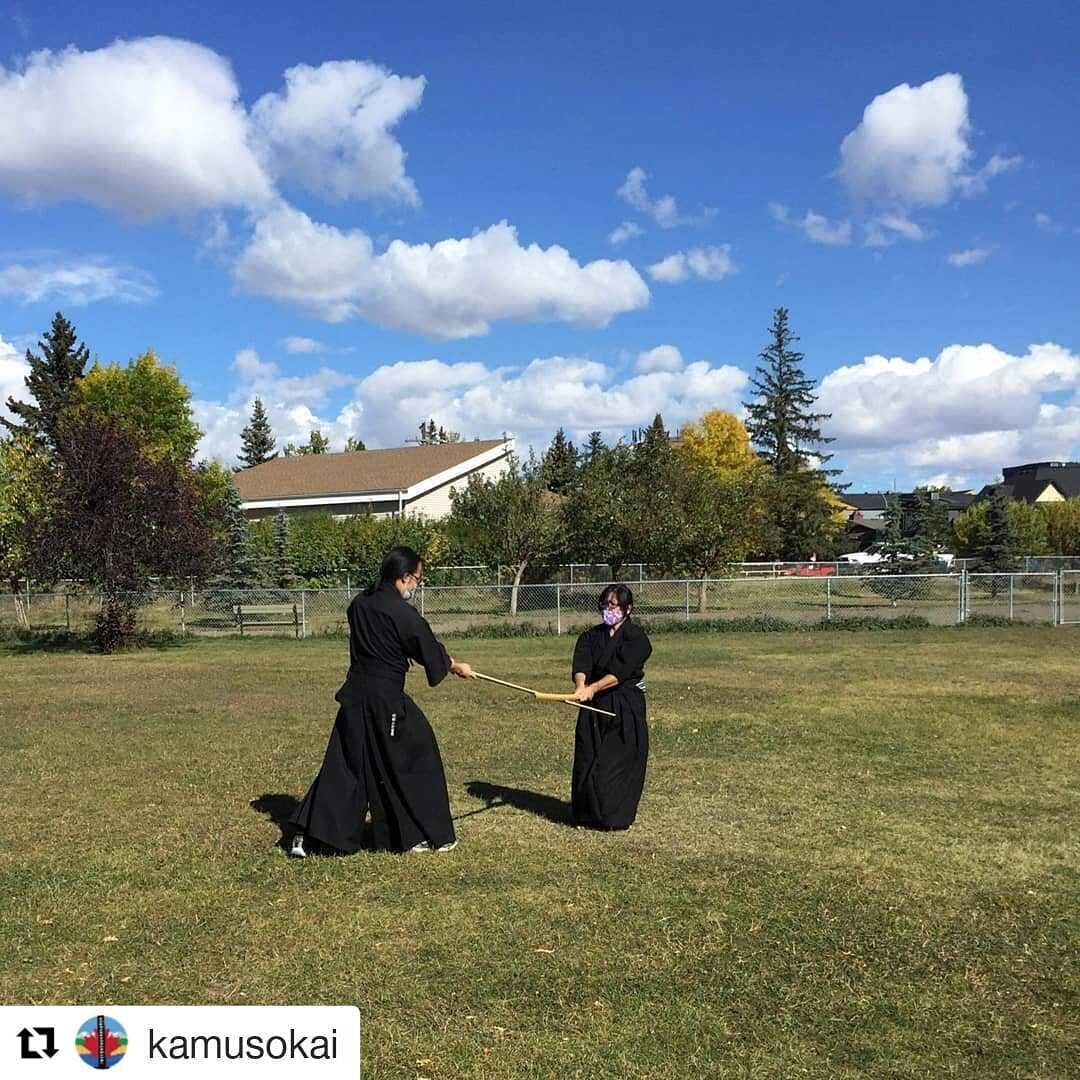
Hashtags can be used on most, if not all social media platforms, such as Facebook, Twitter, Instagram, YouTube, TikTok, Pinterest, and LinkedIn. There are countless other platforms that it’s hard to keep up with them all. Here are a few examples of where I use hashtags:

Why Use Hashtags
The reasons for using hashtags on your social media posts are similar to general marketing strategies, which can be easily broken down into making it easier for: people to find you, sharing information and engaging with others.
Hashtags can help you:
promote your business brand, projects, etc.
increase your business exposure
add context to your social media posts
expand your reach
engage with your followers/network
show support for social issues, local businesses, events, etc.
How to Use Hashtags
As you can see in this old Tweet (as well as my earlier examples), there is a general format to follow:

You make your post and then add hashtags at the end. Alternatively, you may add hashtags on keywords within your post. Don’t add spaces between words. Make everything a single word after the pound sign. Single words or short phrases that are commonly used work best.
The big caveat is to be mindful of your hashtags. They need to be relevant to what you are sharing. My dojo mates and I often grumble when we see posts completely unrelated to the martial arts we study because the poster decided to use #iaido. We click on it, hoping to learn a new training tip, only to see that it’s completely irrelevant. Trust me, it happens in all sorts of posts.
Keep in mind that “less is more” on some social media platforms. For instance, Facebook posts generally see better engagement with one to two hashtags versus the 11 - 30 that we commonly see in Instagram posts. LinkedIn recommends users to limit themselves to seven hashtags, while TikTok has no hashtag limit. Three to five hashtags seems to be the sweet spot on YouTube.
If you use a social media management platform such as Hootsuite or Buffer which allows you to crosspost to several platforms at once, I recommend you stick to the three to five hashtag sweetspot, or customize each post before hitting “Save.”
Finally, make sure your posts are set to “Public” so that your posts will show up in searches.
Popular Hashtags You Can Use
Here is a list of some commonly used music-related hashtags to jumpstart your hashtagging adventures:
#musiceducation #music #musiclessons #musicteacher #musician #musicianlife #musicschool #musiced #musiceducationmatters #musiceducator #musicteachersofinstagram #musicteachersofig #musicians #musictheory #musicclass #musicislife #classicalmusic #musicteachers #elementarymusic #musicbusiness #onlinemusiclessons #musicforkids #musicteacherlife #musiclessonsforadults #RCM #royalconservatoryofmusic #conservatorycanada
Hashtags can be instrument specific, for example: #ukulele, #violin, #guitar, #singinglessons, #fluteteacherlife, #pianoreels. You can also be location specific with your hashtags, for example: #yycpianolessons, #yqldrumlessons and #yegviolinlessons.
Finally, here are a few fun hashtags to expand the types of posts you can share: #MotivationMonday #MusicMonday #TuesdayTunes #TuesdayTip #WayBackWednesday #WisdomWednesday #ThrowbackThursday (or #TBT) #ThankfulThursday #FlashbackFriday #FridayFun #SmallBusinessSaturday #SimpleSaturday #SundayFunday #SpotlightSunday #keepgoing #keepupthegoodwork #AchievementUnlocked #levelup #practicemakesconsistent #practicepractice #funtimesatpiano
Do a quick search on these hashtags in the social media platform of your choice for more inspiration and ideas. Happy hashtagging!
For More Information:
Building Community in the Studio
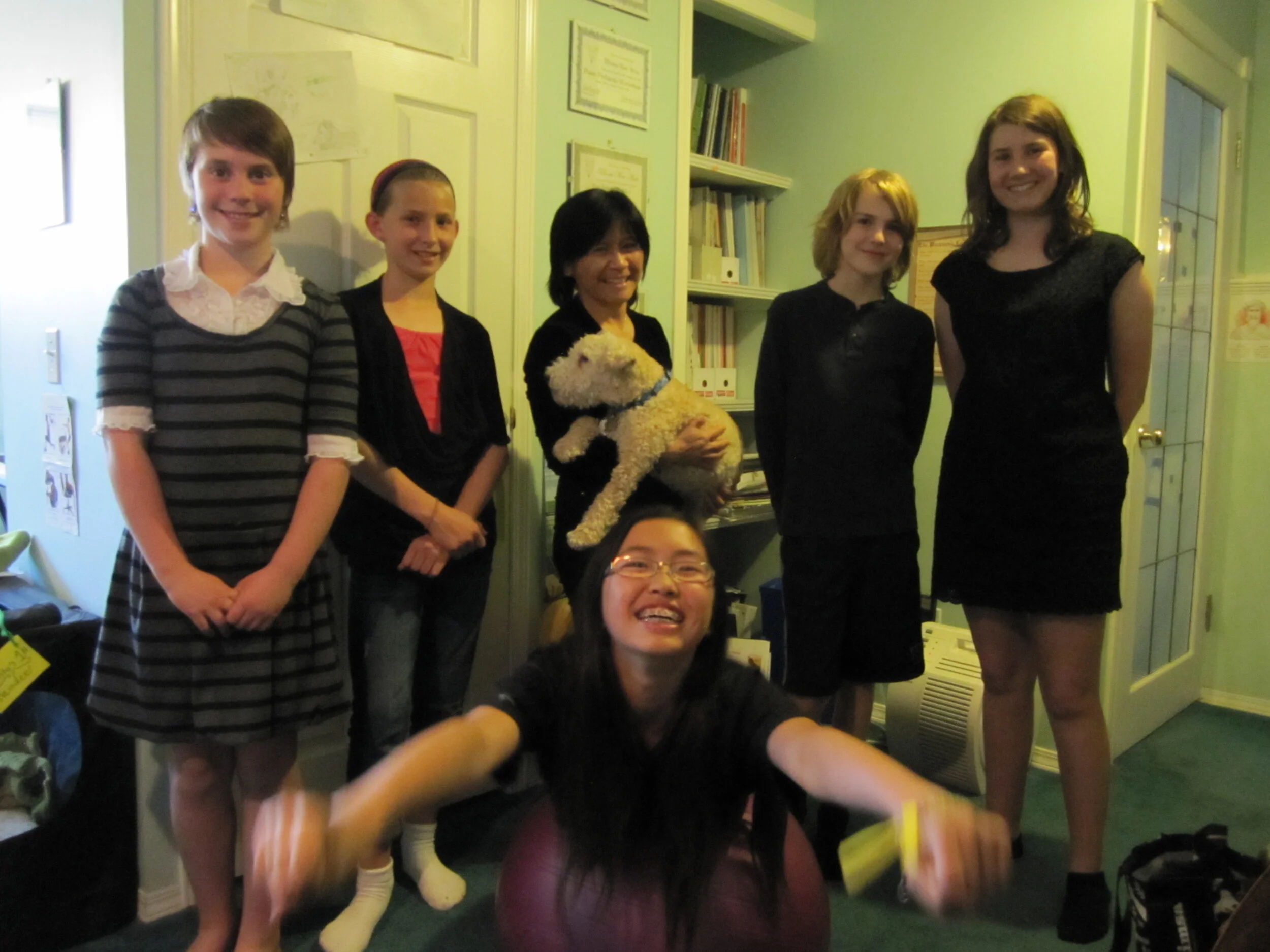
Growing up, I didn’t like how we kept to ourselves at recitals and how there was little interaction between students. I yearned for music buddies and community, which I didn’t have until I attended university.
When I started to teach privately, establishing a friendly studio community was one of my priorities. Since most of us publish studio newsletters to connect with families, my focus here is on the activities I have instigated to build connections and foster a sense of community through the years. Colleagues, feel free to adapt these into your studio.
(Originally published in the Fall 2020 APTA News & Views for the Alberta Piano Teachers’ Association. Updated & modified for the Studio Blog.)
Growing up, I didn’t like how we kept to ourselves at recitals and how there was little interaction between students. I yearned for music buddies and community, which I didn’t have until I attended university.
When I started to teach privately, establishing a friendly studio community was one of my priorities. Since most of us publish studio newsletters to connect with families, my focus here is on the activities I have instigated to build connections and foster a sense of community through the years. Colleagues, feel free to adapt these into your studio.
Group Classes & Special Projects
My students have collaborated on various projects, both in and out of group classes. They have done everything from composing, piano combos, pop bands, folk dancing, recording, editing, and field trips. Our three biggest projects were Eric Whitacre’s Virtual Choir 4: Fly to Paradise, David Wesley’s O Canada Choir, and a student band that earned an Honorable Mention in a Long & McQuade music contest.
It hasn’t been easy offering group classes. Some students are just too busy to come at a different time. Others really dislike the idea of group classes. For those who participate, the group projects and classes remain one of the most memorable parts of their music studies.
Sadly, with the pandemic, I fear the days of group classes are over. However, I will endeavour to find ways for my students to collaborate.
Casual Performance Opportunities
I established piano parties to give students performance experience in a social setting, seeing as most of their performances are for family and friends. I generally schedule two to three parties a year. Each student performs one or more pieces. I do as well, usually sharing something fairly new. If there’s a birthday, someone plays Happy Birthday. At one party, a student played O Canada, so we all stood up and sang the anthem.
Before and after performances, we play board games. Everyone brings snacks to share.

Cat Tower is a piano party favourite! Credit: R-M Arca.
One year, a student who suffers from severe performance anxiety had an attack. She went upstairs while another student went to comfort her and give her a pep talk. She came back down and performed, crying throughout her performance. Everyone listened to her calmly and supported her afterwards. I couldn’t have been more proud of my students for how they handled the situation.
With the pandemic, our last three piano parties were held online via Zoom or StreamYard. At the first online party, I ditched the performances in favour of giving my students a chance to socialize and discuss how they were coping. At our most recent one, we played a couple of online games after everyone performed.
To give students performance experience in a community setting, I book recitals at a local nursing home, two times a year. That was one tradition from my student days that I wanted to continue.

At our 2019 annual recital for our neighbourhood nursing home. Credit S. Yin.
The pandemic hasn’t stopped this. We have held two live stream recitals for the nursing home residents since the beginning of the pandemic. You can find out about our live streaming adventures here.
Crossover Periods & Mentoring
The studio is quite lively during the changeover period between lessons. Parents chat in the waiting area, while the students switching off exchange greetings, share news and listen to the Music Clip of the Day.
Alas, those days are over. Hopefully not permanently.
I recently set up a Piano Buddies program. Five students expressed an interest in being Piano Buddies. They’ll work together to do some ear training and rhythm practice and perform for each other. Earlier this week, I coached one of my students in how to set up a Christmas Break gaming day online. It is my hope this will evolve with minimal input from me.
Recitals as a Social Event
The Snack & Chat has been a popular feature at year-end recitals. Each family brings a plate of goodies to share. Students and parents chat with each other, students praise each other for a good performance and sometimes, someone breaks out a board game. Some years, it takes a while to clear out the area.
With our last two live stream recitals, my students did manage to keep that sense of community. They took full advantage of the backstage chat window during the recital, cheering each other on. Family and friends utilized the live chat on YouTube. Thanks to StreamYard’s user interface, I inserted some of the comments directly into the live stream and responded to comments and questions in real time.

It wasn’t the same as being in a church and having the Snack & Chat afterwards, but at least there was that real-time interaction with family and friends both near and far. After our December recital, some of us squeezed in a few rounds of Among Us.
Building Community via Social Media
Most students enjoy being the “Instagram Star of the Day,” where I feature a photo, video or screencap of fun or great moments during lessons. Most of my teenage students are on Instagram, so they have formed a network all on their own, following each other and keeping in touch via Direct Messaging. Past students keep in touch through Facebook or Instagram.
~
The fact that my students continue to keep in touch with each other as well as myself, years after lessons, makes me feel warm and fuzzy inside. My efforts to have a friendly studio community have borne fruit.
This may seem like a lot. Start with a few activities. Create opportunities for students and their families to connect and support each other in multiple ways. That is how community is fostered.
DISCLAIMER: This post contains a referral link to StreamYard.
Starting a New Chapter on Social Media Management Tools
Less than a month after settling on Hootsuite Pro, I've decided to move on and explore other SMM Tools. Let me tell you why.
After less than a month of using Hootsuite Pro, I've cancelled my account. I really enjoyed being able to have "one dashboard to rule them all" but the limitations that I encountered with this social media management tool were aggravating:
Being limited to using the Owl.ly and Hoot.ly link shorteners: Simply not a fan. Whether I was sharing a photo or a blog post that I scheduled for two days in advance, Hootsuite would simply share the item as the shortened link - without the summary blurb or featured photo. The result? A decease in readership because people are afraid to click on the links since they had no clue what the link was about.
Only being able to post to my business G+ page. You know, sometimes, I'd like to post as me, the music teacher/musician.
The mobile app leaves much to be desired. The mobile app would tell me that one of my former coworkers posted something but half the time, it showed up as their photo and nothing else. Ergo, I'd still have to log into LinkedIn to find out what the post was about. Also, the mobile app is limited only to Facebook, Twitter and LinkedIn.
No integration with Feedly: Hootsuite has the Hootsuite Syndicator for managing your blog subscriptions. However, I prefer Feedly. It's slick, it's sexy and very easy to use.
Missing "Likes": Whenever I "Liked" a post on the Hootsuite app, when I logged in Facebook, that "Like" is gone. Now, I know "liking" only goes so far, but I thought it would go a bit further than my Hootsuite app.
Now what?
Remember Buffer? I mentioned them when I first began this journey into SMM tools. It seems to be popular with quite a few bloggers. There's a Free Plan and an Awesome Plan. The latter is $10/month and gives you up to 12 social networking profiles. Although I'm testing out the Free Plan, I can tell you now that if I'm satisfied, I'll upgrade to the Awesome Plan. It's the only plan I can look at since I have two FB business pages and my Wall, along with multiple Twitter accounts.
Buffer and Feedly are partners. This means sharing with them just got a whole lot easier. Not only that, it looks like they both will talk to Evernote (a new app that I'm trying out).
Buffer has one drawback: not G+ integration. It looks like Google+ has to be treated differently. Either I just use the G+ mobile app or check out Do Share. Now Do Share allows you to schedule posts to your business page and your personal profile. That is handy.
So that is the next leg on my journey to find the ideal social media management tools for my business.
Developing My Social Media Strategy
What good is social networking for business if you don't know what to use it for or how to use it? That's where having a social media marketing strategy comes in.
Last month, I was on a mission to find the best Social Media Management Tool for my business. As I was playing around with the trial versions, I started to think about having an actual social media strategy. Now you may wonder "Why do I need a social media strategy?" If you're using any of these social networking platforms for business, you need to think about branding. In short, what kind of image do you want to present to the world?
A Google search will cough up countless articles on how to setup a social media business strategy. It doesn't have to be complicated. Really, it as easy as asking yourself the W5:
Who are you sharing your message with?
What do you want to say?
Where are you going to communicate?
When are you going to post?
Why are you sharing your message?
How are you going to communicate?
Let's look at them in turn:
Who are you sharing your message with?
I have seven blogs which represent different aspects of my business. Initially, they represented the different areas I wrote for as a Suite101 Contributing Writer. Each has a slightly different niche, although they are unified by the Greek Muses.
Sure, I could have used a single blog and organized everything with tags and categories, but I have to think about what is easier for the end user and for search engines.
Will those seeking to strike a healthy life balance want to read about my adventures in geekdom? Probably not. Will readers following Maestro's adventures in health and wellness want to hear about music practicing tips? Not likely.
Rather than have one vague, catch-all blog title, I've tried to carve a different niche and identity for each blog, right down to the title. That is something search engines like.
This helps with the ads that run on each of the blogs as well. There's no mishmash of pet accessories mixed with music theory books. Again, search engines also like that the keywords in the ads match the keywords in my blog entries.
Whatdo you want to say?
Some businesses communicate when they have sales. Others share user tips, while others share their portfolio.
I brainstormed about what Musespeak™ Studio wanted to share. My favourite way of brainstorming is on the floor with Crayola® markers:
From my meanderings on the web, I've noticed the folks and businesses with the strongest following have a clear sense of what they want to share. Not only that, they have a keen sense on how they want to interact with their clients and fans.
Where are you going to communicate?
There are so many social networking sites out there. There's Facebook, Google+, Twitter, Pinterest, Instagram, Linked In, etc. etc.
My strategy is three-fold. First, use what I am (somewhat) comfortable using. Second, keep in mind what my audience is using and third, determine what is the best medium for each niche that I've carved.
For instance, many of my piano students are on Facebook. The quickest way for me to get a hold of them is through FB. I wasn't keen on the idea at first but really, if I want them to get my messages, I have to use the same medium.
I see that a bunch of them, along with my fellow writers, are on Pinterest. I guess I'll have to explore that at some point.
When are you going to post?
One of my colleagues, LaDona Ahenda, introduced me to the beauty of advance scheduling posts. That way, if I feel like writing six articles in one day, I can space them out throughout the week.
Now that I'm Hootsuite Pro, I can take that to a whole new level. Not only can I schedule my blog posts, but I can schedule my tweets, article shares, meme shares and so on.
The other end of the equation is that you should time your posts to when your audience is online. It's pointless for me to post music practice tips when my students are in school. Better to schedule those posts for when they are home and (hopefully) practicing.
My piano parents tend to do their social networking later in the evening when the kids have gone to bed. Therefore, it makes sense to send messages and posts targeted to them in that timeframe.
My non-music blogs have a wider reach. It doesn't matter when I post them since there are readers worldwide. However, I try to stagger them.
Whyare you sharing that message?
Everyone seems to get bombarded with spam. Not just that, I've also seen in discussion groups that people don't really like it when one person keeps posting "wily nily".
Each post has to have a purpose. Are you informing? Educating? Warning? Inspiring? Humouring? This shapes what kind of messages you send out as well. Too much of one thing can get to be a bit much.
Howare you going to communicate?
Each social networking platform has their strengths and weaknesses. For example, Twitter's strength lies in those quick hits - upcoming concert announcements, anything geeky and/or quirky. It's the perfect platform to share "all things geek" and all "all things dog".
Linked In is primarily for business networking. It's a great place to share accomplishments and anything that pushes your credibility in your field.
Youtube and Soundcloud are perfect for my music studio. Lesson clips, practice drills and performances can be shown off here.
The only network that I'm currently using that requires further thought and exploration is Google+. From what I can see, it's similar to Facebook but with what I think is an older demographic. More international users too.
I captured my initial ideas on this sheet:
With all that in mind, I began to made a spider web brainstorm of my social media strategy. As with any plan, it's dynamic and will evolve as the needs and interests of my audience changes (mine too).
Further reading:
Getting a Handle on SMM Tools - Hootsuite
The conclusion of my SMM Tools hunt for this entrepreneur goes back to Hootsuite.
In Getting a Handle on Social Media Management Tools, I shared my search criteria for "one dashboard to manage them all". I also took a look at two systems: BuzzBundle and Viralheat. My search draws to an end with Hootsuite Pro.Perhaps Hootsuite had the unfair advantage in that I've dabbled with Hootsuite Free off and on for several months. I dropped it months ago because of the limitations of the free version (five accounts only, no reports, very limited scheduling).
For $8.99 USD/month, I levelled up to Hootsuite Pro. This gave me up to 100 social network accounts, the ability to schedule posts, adjust privacy settings, the ability to have a team of up to nine people collaborating in Hootsuite and access to some reports.
My Hootsuite Pro Experience So Far
The various social media streams can be split into different tabs. For instance, I have a tab labelled "Twitter". It contains news streams for both my Twitter feed as well as Maestro's. I also have streams set up for our favourite lists, @mentions and direct messages. I did something similar with our respective Youtube channels.
For Facebook, I have streams for my news feed, my main Wall, as well as the wall for my Writer page and Studio page. One thing that has made a huge difference is that I am able to create newstreams for the teaching and Virtual Choir closed groups I am a part of.
I also have news streams for my Flickr account and all of my blogs. That makes sharing from those channels simply a matter of going from one tab to the next. Cross-posting is as easy as typing the message and then clicking on all the social network profiles I want to disseminate the information through.
The only social sharing site that I haven't worked in yet is Soundcloud. Until I set up podcasts, I do not have an RSS feed to link to Hootsuite ( #addtowishlist ). I have been using Hootsuite Pro for approximately one week. Observations worth noting are:
1 - I'm no longer Pavlov's Facebook's Dog
How much time did I waste looking at my phone for FB notifications? How many times in a day did I jump every time my phone beeped and/or blinked blue? I shudder to think of the number. Since switching to Hootsuite, I find that I don't race to my phone or log in nearly as much as I used to.
2 - I'm more active on the other social media networks
I actually am looking at Maestro's and my Twitter News lists more regularly. "We" are also sending and replying to tweets more regularly. Ditto for Google+ and Linked In.
3 - When I do log into Facebook, I have a purpose
When I'm logged into Hootsuite, it's mainly to share information. It's all business and with the way I have it set up, it's harder to deviate from my goal.
Now, when I log into Facebook, it's with the express purpose of catching up with family and friends or participating more fully in the discussion groups. I no longer log in (multiple times) to see "What's New?" and get distracted by memes, jokes, articles and videos.
4 - I'm not on the computer as much.
Between Hootsuite's mobile app and Facebook Messenger, I get the important messages or posts. Therefore, I don't need to race to the computer like a dog in search of a new treat. Also, since Hootsuite alerts me to those important posts, I don't need to race to the phone either. It's much easier for me to "step away from the smartphone" and enjoy the sunshine.
5 - The top tools have a good support system
Like Viralheat and BuzzBundle, Hootsuite's team is really quick to contact me and offer their help at the mere mention of their name (via Twitter) or e-mail.
Social Media Management Tools Half-Time Review
I set out on this journey to find the ideal SMM Tool with the desire to have all my social networking accounts under one roof. Cross-posting certainly makes it easier to send out my posts and other information to different social networks. The ability to schedule posts to go up 30 minutes after a scheduled blog post goes live gives the sense that Musespeak Studio is busy online 24/7.
Sure, Hootsuite's user interface isn't as pretty as Viralheat's but it's pleasing enough. For this entrepreneur, Hootsuite does meet all of my SMM Tool criteria.
The unexpected bonus was the huge time savings, which I can't quantify any other means other than the number of posts that will be going out. There are less distractions (and no Facebook ads) so I am managing my time better.
Next month, I will explore the analytics and reporting end of Hootsuite Pro.
Social Media Links
archives
- #YYCArts 32
- #YYCEvents 39
- Collaborative Music 25
- Community 11
- Composing & Arranging 6
- Entertainment 139
- Entrepreneurship 53
- Freebies 3
- Gardening 1
- Geeking Out 65
- Health & Wellness 120
- Improvisation 25
- Interviews 28
- Learning Music 188
- Martial Arts 13
- Memorization 7
- Music 230
- Music Careers 9
- Music Education 196
- Music Examinations 7
- Music Exploration 55
- Music Gigs 14
- Music Lessons 6
- Music Performance 32
- Music Theory 13
- Musical Instruments 12
- Musician Health 19
- Pets 57
- Piano Technique 12
- Practicing Music 120
- Productivity 20
- Professional Development 11
- Recommendations & Reviews 93
- Recreation 71
- Social Media 6
- Spirituality 10
- Studio Management 33
- Studio Technology 50
- Teaching Music 146
FOLLOW THE STUDIO on Instagram


Affiliate Links
As a Sheetmusicplus and CD Japan affiliate, I earn from qualifying purchases. The earnings help fund the Studio’s blog and YouTube channels. Your support is greatly appreciated.


FOLLOW Budo no Tabi on Instagram